
Polar Cloud
Schedulers
Schedulers can be used on the Polar Portal to set timers and triger outputs based on time of day. The actions can be repeated hourly, daily, weekly and can be used in a wide variety of applications. From turning water pumps on and off based on times of day to switching generators to standby during the night to save fuel.
This document will provide the necissary information on how to setup and use the schedulers function on the Polar Portal.
To begin, navigate to the specific device’s dashboard that the scheduler needs to be set on.
Using the tabs at the top navigate to the “Schedulers” tab

Once here there will be options on the top right
- Add +
This option will begin the Add new scheduler procedure - Disable All
This option will disable all schedulers in the list below - Enable All
This option will enable all schedulers in the list below.
Adding a Scheduler
Click the Add+ Button to begin the process
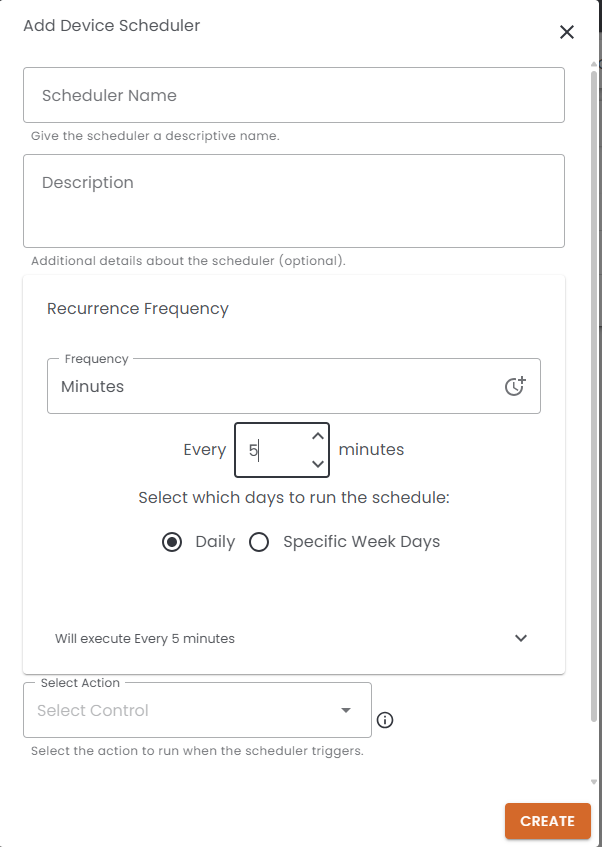
The add device Scheduler dialog box will now appear on the screen, moving from top down,
Input the appropriate Name and Description.
Next under the Recurrence frequency one will choose how often you want the scheduler to run. Selecting the Frequency out the drop down will manipulate the time interval below this.
With the configurations its possible to shedule an output for almost any requirement
Below this one will have a written representation of what the scheduler is going to do and a list of timelines for the next 5 trigger events
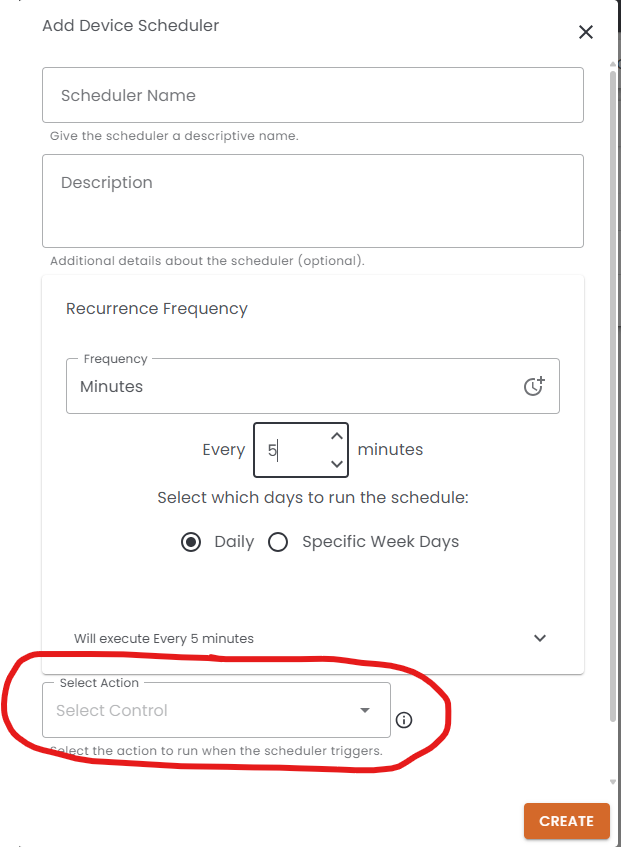
Finally we need to select the action to perform on the trigger. This action is linked to the outputs currently enable on the device you creating the schedule on. If the button or output is not in the list its most likely not enabled on the live screen of the device.
Once all the info is input into the scheduler dialog window, click Create to save and enable the scheduler on the device.
The schedule will begin to function imidiately.