


Our October Polar Cloud release focuses on practical improvements to some of the tools customers already use every day.
This month, we have introduced automatic scaling for tag values, editable site timezones, scheduler testing and clearer tag usage information for supported devices.
We have also made several improvements to the existing interface, including faster loading and an improved search experience.
Here is what has changed.

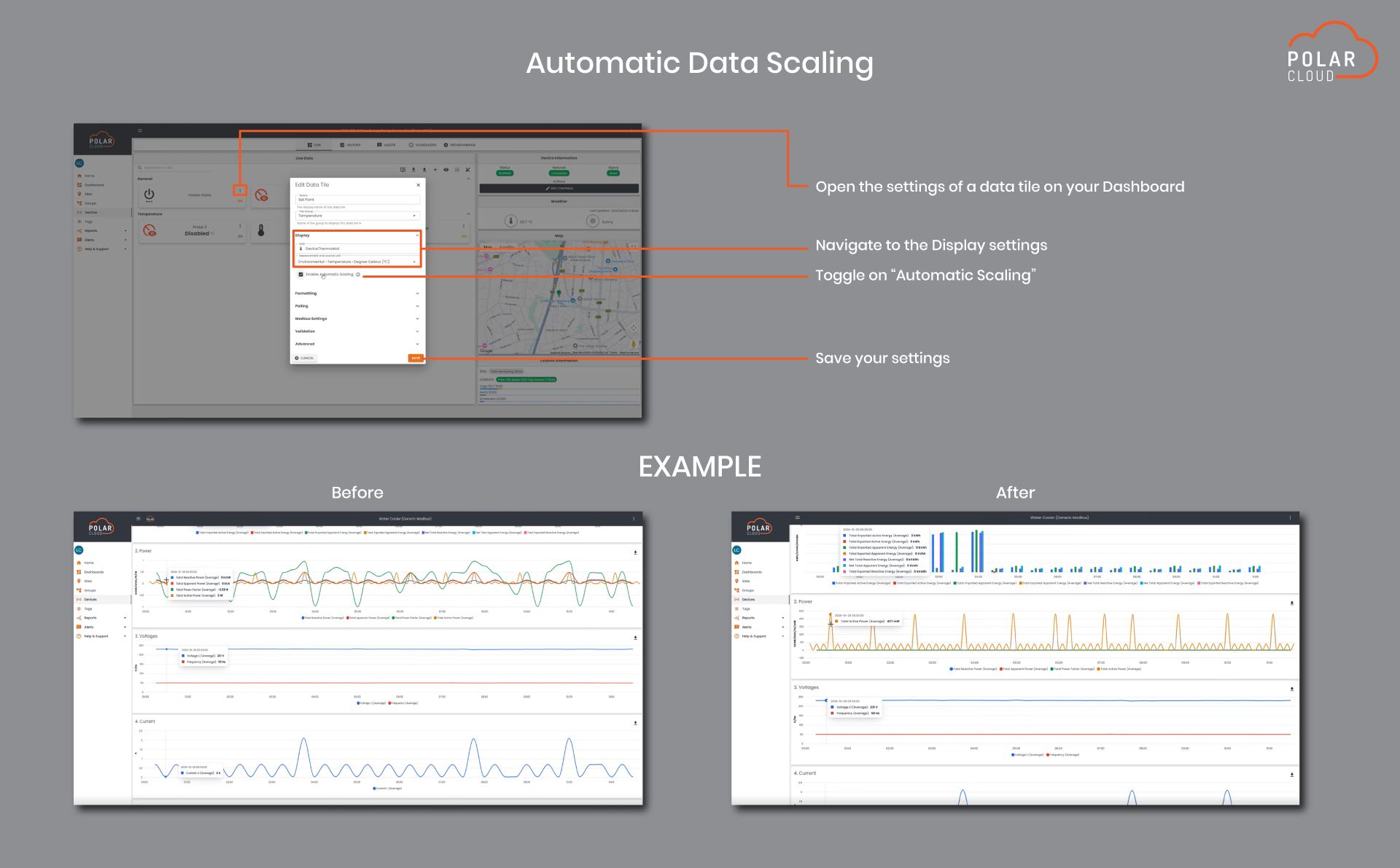
Polar Cloud can now handle scaling automatically for unit values.
For users working with devices where readings need to be scaled before they can be interpreted correctly, this reduces the amount of manual work required when configuring and working with those values.
The goal is to make the data coming into Polar Cloud easier to work with while keeping the information presented to users consistent and meaningful.
This becomes particularly useful as sites grow and more tags are added, where manually managing scaled values can quickly become time consuming.

Site timezone settings can now be edited directly in Polar Cloud.
This gives users more control when a site has been configured with the wrong timezone or when monitoring assets across different regions.
Keeping the correct timezone assigned to a site is particularly important when working with time based data, historical readings and scheduled activity.
The update makes it easier to keep each site’s configuration aligned with where the equipment is actually operating.

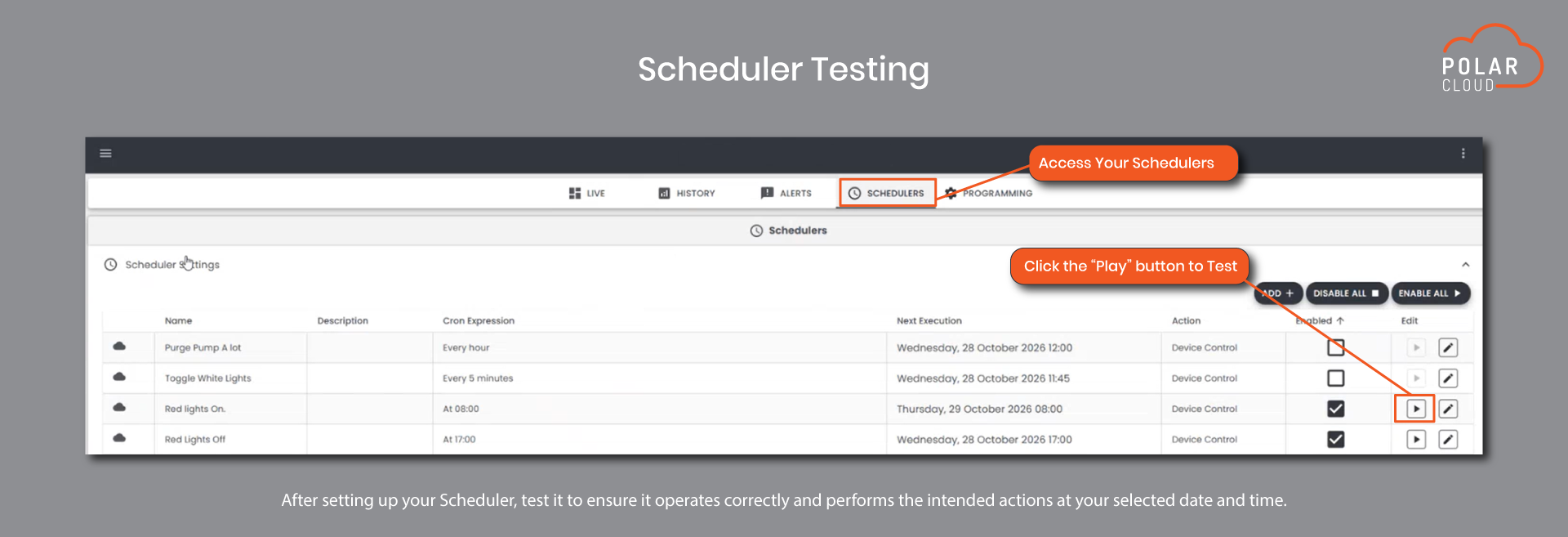
Users can now test scheduler configurations in Polar Cloud.
For sites that rely on scheduled operation, being able to test the setup provides an additional way to check that the scheduler has been configured as intended before it is relied on during normal operation.
This makes it easier to validate changes when setting up or adjusting schedules and gives users more confidence in the configuration before leaving it to run.
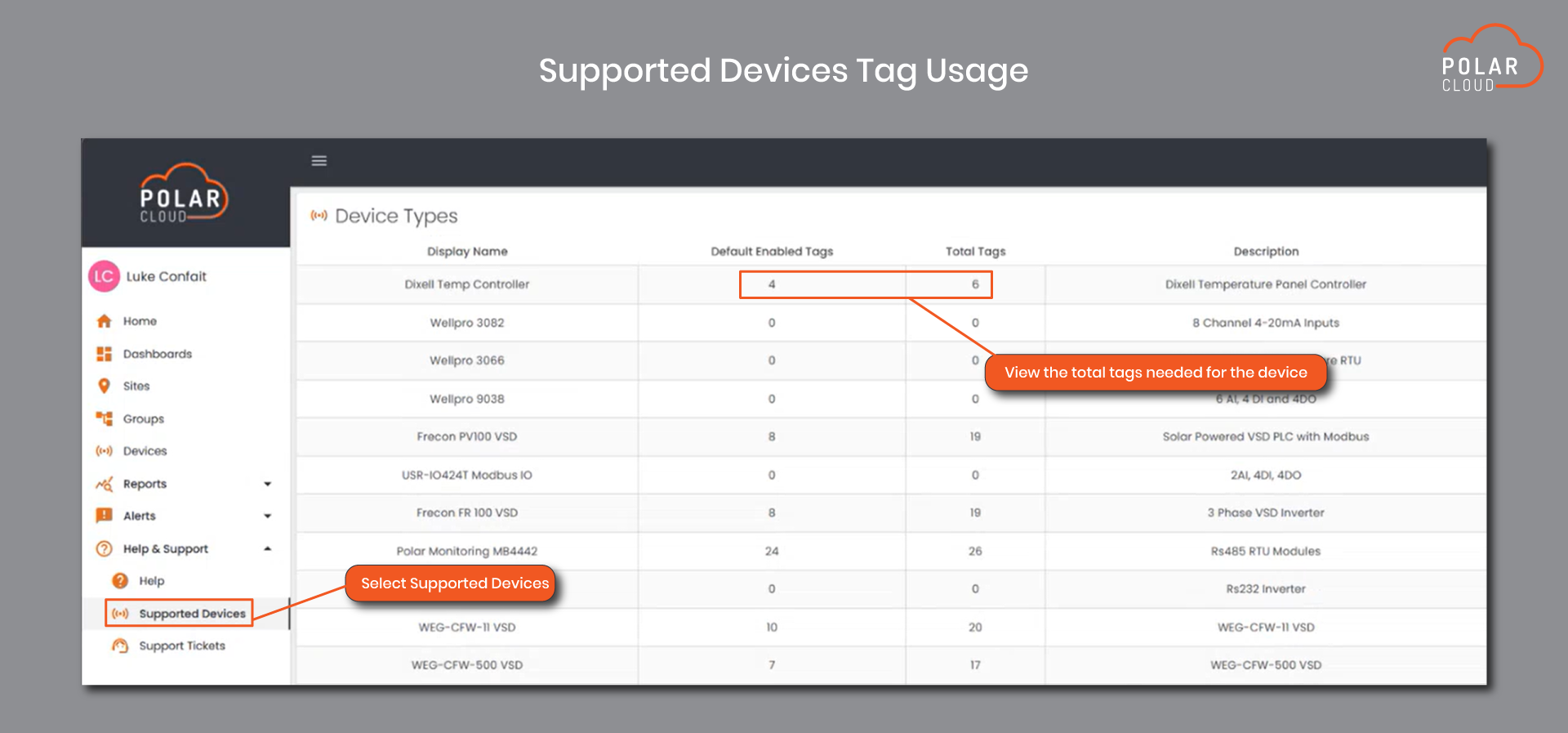
Polar Cloud now provides clearer tag usage information when working with supported devices.
This gives users better visibility into the tags associated with a device when configuring or expanding a site.
For teams regularly adding equipment or working with different supported devices, this makes it easier to understand the available monitoring information before completing the setup.

A number of smaller improvements have also been made to areas of Polar Cloud that customers already use regularly.
Device information on the Live page now loads faster, and dashboard widgets have also been optimised for quicker loading.
Search has also been reworked to use fuzzy search. This means Polar Cloud can return more relevant results even when the search term does not exactly match the name or wording you are looking for.
These changes do not alter how you use the platform. They are focused on making the existing experience quicker and easier to work with.
Not every release needs to completely change the way you work.
Sometimes the most useful updates are the ones that remove an extra step, make information easier to find or give you more confidence when configuring a site.
The October release brings those improvements together, with better tag handling, more control over site settings, scheduler testing and a faster experience across parts of the platform.
Log in to Polar Cloud to explore the latest updates.
Monitor what matters most.
These updates are focused on making Polar Cloud more practical, flexible and useful for everyday operations.
From WhatsApp alerts and easier licence upgrades to smarter widgets and faster dashboard setup, this release gives customers more ways to stay informed, save time and work more efficiently.
Customers are encouraged to log in to Polar Cloud after the production release to explore the latest improvements.
For more information or support, contact the Polar Monitoring team.